
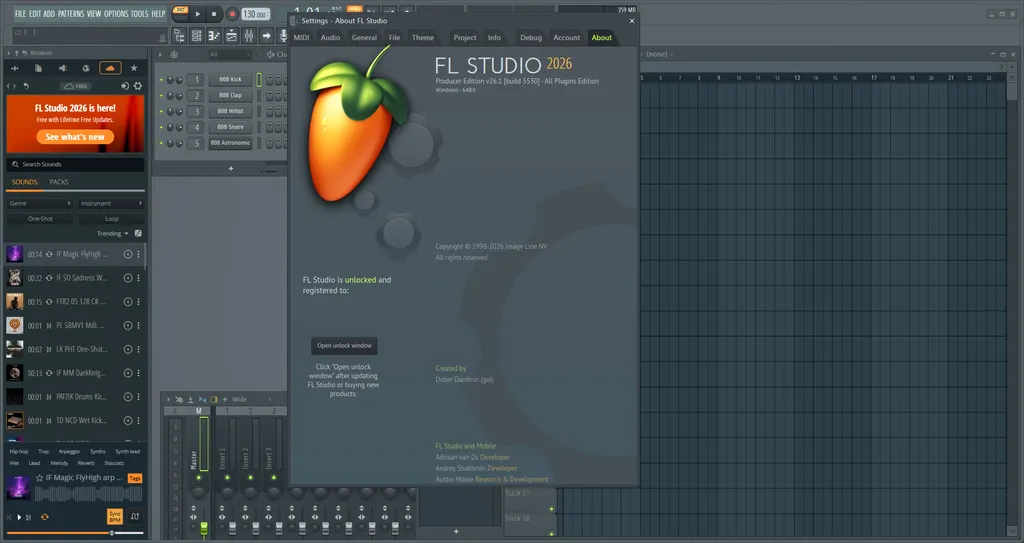
ดาวน์โหลด FL Studio Producer Edition ตัวเต็มถาวร โปรแกรมทำเพลง Beat Making, Mixing, Mastering, Piano Roll ครบ เซฟงานได้ ฟรีตลอดชีพ รองรับ Windows 11 / 10
รายละเอียดเกี่ยวกับ FL Studio Producer Edition
FL Studio Producer Edition คือรุ่นกลางของ Digital Audio Workstation (DAW) ยอดนิยมระดับโลก พัฒนาโดย Image-Line บริษัทซอฟต์แวร์จากเบลเยียมที่เผยแพร่โปรแกรมนี้ครั้งแรกในชื่อ FruityLoops ตั้งแต่ปี 1997 และพัฒนาต่อเนื่องมาจนถึงปัจจุบัน รุ่น Producer Edition เป็นจุดเริ่มต้นที่คนส่วนใหญ่เลือกซื้อ เพราะให้ฟีเจอร์ครบในแบบที่ใช้งานได้จริง ทั้ง Beat Making, Audio Recording, Piano Roll, Mixer ระดับมืออาชีพ, Playlist, และรองรับ VST Plugin ทุกชนิด ต่างจากรุ่น Fruity ที่ไม่รองรับการ Record เสียงจากอุปกรณ์ภายนอก ตัวโปรแกรมรองรับได้ทั้ง Windows และ macOS โดยใน FL Studio 2026 ที่เพิ่งปล่อยออกมาเมื่อวันที่ 7 กรกฎาคม 2026 นั้น Image-Line ยังคงนโยบาย Lifetime Free Updates อย่างเหนียวแน่น หมายความว่าจ่ายครั้งเดียวแล้วได้อัปเดตฟรีทุกเวอร์ชันตลอดชีพ ซึ่งแทบหาไม่ได้จาก DAW ค่ายอื่น
สิ่งที่ทำให้ FL Studio แตกต่างจาก DAW คู่แข่งอย่าง Ableton Live หรือ Logic Pro คือความยืดหยุ่นของ Workflow ที่ไม่บังคับให้ทำงานในแบบใดแบบหนึ่ง ไม่ว่าจะชอบปั้น Beat ใน Step Sequencer, เขียน Melody ใน Piano Roll ที่หลายคนยกให้เป็น Piano Roll ที่ดีที่สุดในวงการ DAW, หรือ Record สด แล้วนำมาตัดต่อใน Playlist ก็ทำได้ทั้งหมด ด้านชุมชนผู้ใช้ก็ใหญ่มากพอที่จะหาบทเรียน, Preset, Sample Pack และ Plugin ฟรีได้ไม่หมดบนอินเทอร์เน็ต ในปี 2026 FL Studio Producer Edition มีราคาเริ่มต้น 199 USD สำหรับ License ซื้อขาด หรือเลือกผ่อนชำระแบบ Monthly Plan 12 งวดแล้วได้ License ถาวรพร้อม FL Cloud ในชุดเดียวกัน
ฟีเจอร์เด่นของ FL Studio Producer Edition
- Piano Roll ที่ได้รับการยอมรับในวงการว่าละเอียดและยืดหยุ่นที่สุดในบรรดา DAW ชั้นนำ รองรับ MIDI Editing, Ghost Notes, Articulation, Scale Highlighting และ Chord Detection แบบ Real-Time ที่เพิ่งอัปเดตใน FL Studio 2026
- Mixer 125 Track พร้อม Per-Track Sidechain, Routing อิสระ, Insert Effect Chain และ Send/Return สำหรับ Parallel Processing
- รองรับ Audio Recording ในรุ่น Producer ขึ้นไป ทั้ง Multitrack Recording, Edison Audio Editor และ Playlist-Based Editing
- รองรับ VST2, VST3, DX Plugins ทั้งแบบ 32-bit และ 64-bit ผ่าน Plugin Bridge ในตัว
- ระบบ Pattern-Based Workflow สลับกับ Song Mode ได้อย่างอิสระ เหมาะทั้งกับคนที่มาจากสาย Loop-Based และสาย Linear Production
- FLEX Instrument ที่สร้างใหม่ทั้งหมดใน FL Studio 2026 มี Browser ใหม่, Engine ที่กิน CPU น้อยลงสูงสุด 50% และ Factory Library ชุดใหม่
- Gopher AI Assistant ที่ใน FL Studio 2026 อัปเกรดจากแค่ตอบคำถาม มาเป็นสั่งงานได้จริง เช่น จัดชื่อ Track, ตั้ง Mixer Level, Route Audio และสร้าง Piano Roll Script ผ่านคำสั่งภาษาธรรมดา
- Cloud Backup อัตโนมัติทุกครั้งที่ Save ฟรี 500 MB สำหรับทุก Account และขยายได้ถึง 1 TB สำหรับ FL Cloud Pro พร้อมรับประกันว่าข้อมูลโปรเจกต์ไม่ถูกนำไปเทรน AI
- Remix a Song ระบบ Stem Separation อัตโนมัติที่ตรวจจับ Tempo แล้วแยกแทร็กเสียงออกเป็นส่วนๆ สำหรับ Remix Workflow ที่รวดเร็วขึ้น
- Lifetime Free Updates นโยบายที่ทำให้ผู้ใช้ทุกคนที่ซื้อ License ไว้ได้รับ FL Studio 2026 ฟรีโดยไม่มีค่าใช้จ่ายเพิ่ม
ถ้ากำลังมองหาโปรแกรมทำเพลงตัวแรกหรือต้องการเปลี่ยนจาก DAW ตัวอื่น FL Studio Producer Edition คือตัวเลือกที่มีเหตุผลรองรับชัดเจน ทั้งในแง่ฟีเจอร์ที่ครบตั้งแต่วันแรก ชุมชนที่ใหญ่พอให้หาความช่วยเหลือได้ตลอด และนโยบาย Lifetime Free Updates ที่ไม่มีใครเทียบได้ในตลาด DAW ระดับนี้ FL Studio 2026 ที่ออกมาเมื่อ 7 กรกฎาคม 2026 นั้นสื่อเพลงหลายสำนักตั้งแต่ MusicTech ไปจนถึง Gear Gods ต่างให้ความเห็นตรงกันว่าเป็นอัปเดตที่ใหญ่ที่สุดในรอบหลายปี โดยเฉพาะ FLEX ที่สร้างใหม่ทั้งหมด และ Gopher ที่ก้าวจากผู้ช่วยมาเป็นคนทำงานได้จริงในโปรเจกต์
บันทึกการปรับปรุง (Changelog)
26.1.7.5 (2026/10/12)
- Can’t unlock the Fire edition of FL Studio
ความต้องการของระบบ
- ระบบปฏิบัติการ (OS)Windows 11 / 10 (64-bit)
- หน่วยประมวลผล (CPU)Intel Pentium 4 หรือ AMD Athlon 64 ความเร็ว 2 GHz ขึ้นไป รองรับ SSE2
- กราฟิกการ์ด (GPU)ไม่กำหนดขั้นต่ำ FL Studio ใช้ CPU เป็นหลัก GPU มีผลน้อยมากต่อประสิทธิภาพ
- หน่วยความจำ (RAM)4 GB (32 GB ขึ้นไปแนะนำสำหรับการใช้งานหนัก)
- พื้นที่ว่างในฮาร์ดดิสก์4 GB สำหรับติดตั้งโปรแกรม
- จอแสดงผลความละเอียด 1024 x 768 พิกเซลขึ้นไป รองรับ HiDPI และ 4K Display
- อื่นๆต้องการ ASIO Driver สำหรับ Low Latency Recording
ข้อมูลไฟล์
- ผู้พัฒนา
- Image Line
- ใบอนุญาต
- Shareware
- ภาษา
- รองรับหลายภาษา
- ขนาด
- 1.4 GB
- เวอร์ชัน
- 26.1.7.5654
- ประเภท
- *.rar
- เผยแพร่เมื่อ
- อัปเดตเมื่อ
- รหัสแตกไฟล์
- axeload
ดาวน์โหลด
ระวังโฆษณาเด้งไปหน้าไฟล์ปลอม โปรดเช็คชื่อโปรแกรม, เวอร์ชัน, ขนาด, ประเภทไฟล์, เซิร์ฟเวอร์ ก่อนดาวน์โหลดทุกครั้ง