ดาวน์โหลด O&O ShutUp10 Premium ตัวเต็มถาวร ฟรี โปรแกรมปรับแต่งความเป็นส่วนตัวบน Windows ช่วยปิด Telemetry ลดการเก็บข้อมูล และเพิ่มความปลอดภัย ใช้งานง่าย
รายละเอียดเกี่ยวกับ O&O ShutUp10 Premium
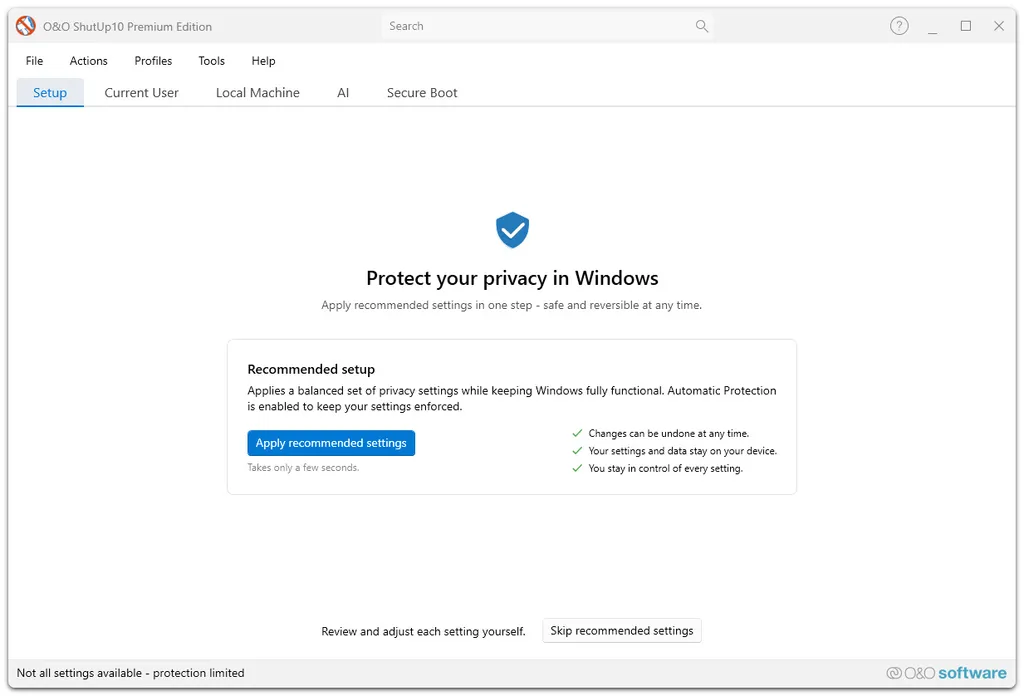
O&O ShutUp10 Premium เป็นโปรแกรมสำหรับปรับแต่งค่าความเป็นส่วนตัวบน Windows ที่ได้รับความนิยมมานาน โดยเฉพาะในกลุ่มคนที่ต้องการลดการเก็บข้อมูลจาก Microsoft หรืออยากควบคุมระบบ Windows ให้ละเอียดขึ้น ตัวโปรแกรมถูกออกแบบมาให้ใช้งานง่าย แม้คนที่ไม่ได้เก่งด้านคอมก็สามารถกดเปิดหรือปิดฟีเจอร์ต่างๆ ได้แบบไม่ซับซ้อน
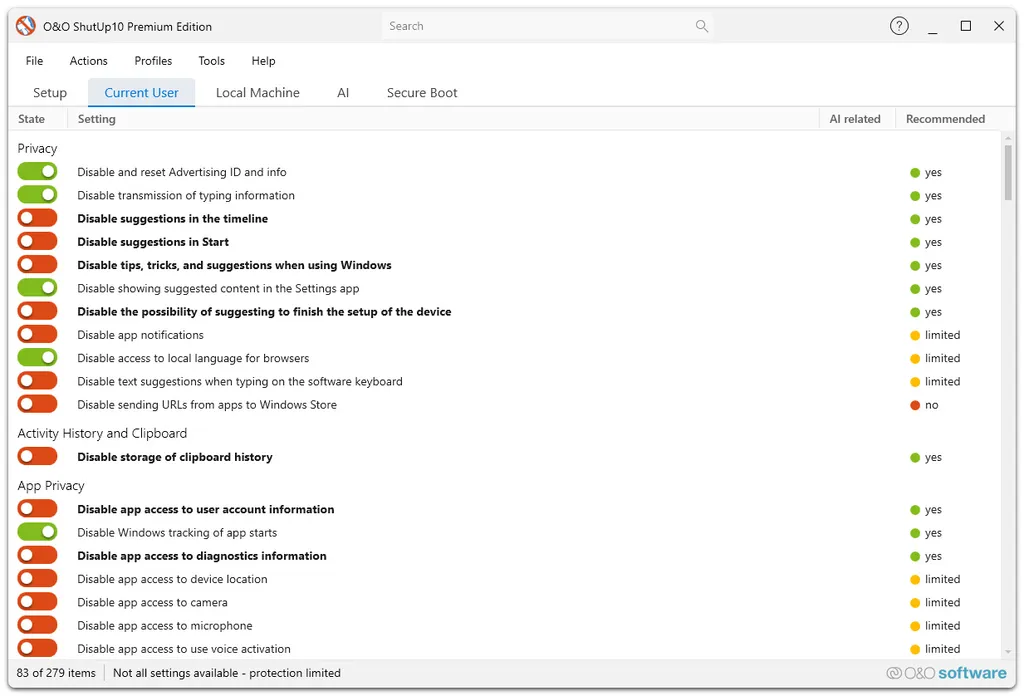
จากที่ลองใช้งานจริง จุดเด่นของโปรแกรมนี้คือมันช่วยให้เราปรับแต่ง Privacy Settings ได้รวดเร็วมาก ไม่ต้องเสียเวลาไล่หาตามเมนู Windows ทีละจุด เพราะรวมทุกอย่างไว้ในหน้าต่างเดียว ไม่ว่าจะเป็นการปิด Telemetry, Location Tracking, Advertising ID, Cortana, Windows Tips หรือบริการ Background ต่างๆ ที่หลายคนรู้สึกว่ากินทรัพยากรเครื่องโดยไม่จำเป็น
อีกเรื่องที่ชอบคือโปรแกรมมีระบบแนะนำความปลอดภัยก่อนเปลี่ยนค่า โดยจะแบ่งระดับเป็น Recommended, Limited Recommended และ Warning ช่วยลดความเสี่ยงสำหรับคนที่ไม่แน่ใจว่าควรปิดอะไรบ้าง ถือว่าเหมาะทั้งสาย Tweaker และผู้ใช้ทั่วไปที่อยากให้ Windows ทำงานเบาลงและเป็นส่วนตัวมากขึ้น
ในเวอร์ชันปี 2026 ตัวโปรแกรมยังคงอัปเดตต่อเนื่อง รองรับ Windows 11 รุ่นใหม่ และมีการเพิ่มตัวเลือกสำหรับจัดการฟีเจอร์ AI และบริการออนไลน์ของ Windows มากขึ้น ซึ่งเป็นสิ่งที่หลายคนเริ่มให้ความสำคัญในช่วงหลัง
ฟีเจอร์เด่นของ O&O ShutUp10 Premium
- ปิด Telemetry และการส่งข้อมูลไปยัง Microsoft
- ปรับแต่ง Privacy Settings ได้จากหน้าต่างเดียว
- ปิดระบบ Tracking และ Advertising ID
- ลดบริการ Background ที่ไม่จำเป็น
- ปิด Cortana และระบบแนะนำอัตโนมัติ
- ปรับแต่ง Windows Update บางส่วนได้
- มีระบบ Restore Point ก่อนแก้ไขค่า
- ใช้งานฟรีและไม่ต้องติดตั้ง
- รองรับ Windows 11 และ Windows 10
- อินเทอร์เฟซใช้งานง่าย ไม่ซับซ้อน
- แบ่งระดับความปลอดภัยในการปรับแต่ง
- ช่วยลดการใช้ทรัพยากรบางส่วนของระบบ
ถ้าถามว่า O&O ShutUp10 Premium ยังน่าใช้ไหมในปี 2026 ส่วนตัวมองว่ายังเป็นหนึ่งในโปรแกรม Tweaker สำหรับ Windows ที่ใช้ง่ายและปลอดภัยที่สุดตัวหนึ่ง จุดเด่นคือไม่จำเป็นต้องเข้าใจ Registry หรือ Group Policy ลึกๆ ก็สามารถปรับแต่งระบบได้
ข้อดีชัดเจนคือช่วยลดความวุ่นวายของ Windows ได้เยอะ โดยเฉพาะเรื่อง Privacy และบริการออนไลน์ที่หลายคนไม่ได้ใช้งานจริง อีกทั้งยังเป็น Portable ไม่ต้องติดตั้ง ทำให้พกใส่แฟลชไดรฟ์ไว้ใช้งานได้สะดวก
ส่วนข้อเสียคือถ้าปิดบางฟีเจอร์มากเกินไป อาจกระทบการทำงานบางอย่างของ Windows ได้ เช่น Microsoft Store, Widgets หรือบริการ Cloud บางตัว ดังนั้นแนะนำให้ใช้ค่า Recommended ก่อนจะปลอดภัยที่สุด
โดยรวมถือว่าเป็นโปรแกรมที่เหมาะมากสำหรับคนที่อยากให้ Windows ทำงานสะอาดขึ้น เบาลง และควบคุมข้อมูลส่วนตัวได้มากกว่าเดิม โดยเฉพาะสาย Power User หรือคนที่ไม่ชอบระบบ Telemetry ของ Windows
บันทึกการปรับปรุง (Changelog)
3.4.1124 – released on 08/18/2026
ความต้องการของระบบ
- ระบบปฏิบัติการ (OS)Windows 11 / 10 / 8.1 / 7
- หน่วยประมวลผล (CPU)Intel หรือ AMD Processor ความเร็ว 1 GHz ขึ้นไป
- กราฟิกการ์ด (GPU)รองรับ DirectX มาตรฐาน
- หน่วยความจำ (RAM)2 GB (4 GB ขึ้นไปแนะนำ)
- พื้นที่ว่างในฮาร์ดดิสก์อย่างน้อย 100 MB
- จอแสดงผลความละเอียด 1366×768 ขึ้นไป
- อื่นๆต้องมีสิทธิ์ Administrator ในการปรับแต่งระบบบางส่วน
ข้อมูลไฟล์
- ผู้พัฒนา
- O&O Software GmbH
- ใบอนุญาต
- Shareware
- ภาษา
- รองรับหลายภาษา
- ขนาด
- 76 MB | 68 MB
- เวอร์ชัน
- 3.6.1135 | 3.4.1124
- ประเภท
- *.exe | *.rar
- เผยแพร่เมื่อ
- อัปเดตเมื่อ
- รหัสแตกไฟล์
- axeload